Why Your LoRaWAN Device Won't Join
Three Failures That Look Identical
The device is powered. Its LED blinks the way the manual says it should. The network server shows nothing, has shown nothing for twenty minutes, and the only diagnostic anyone has is that it is not working.
Underneath that identical symptom are three completely different failures. Either the join request never reached a gateway, or it reached the network server and was rejected, or the network answered and the device never heard the reply. They share no causes and no fixes, and almost all wasted troubleshooting time comes from working on the wrong one.
The good news is that telling them apart takes one look at the right screen, and everything after that is a short list.
Do not start by changing settings. Start by finding out whether the gateway ever heard the device. That single observation eliminates two thirds of the possible causes, and it takes thirty seconds.
Look at the Gateway, Not the Application
Every network server can show you the raw traffic a gateway receives, whether it is called a live LoRaWAN frames view, a gateway traffic tab, or a packet log. Open it, filter for join requests, and power-cycle the device.
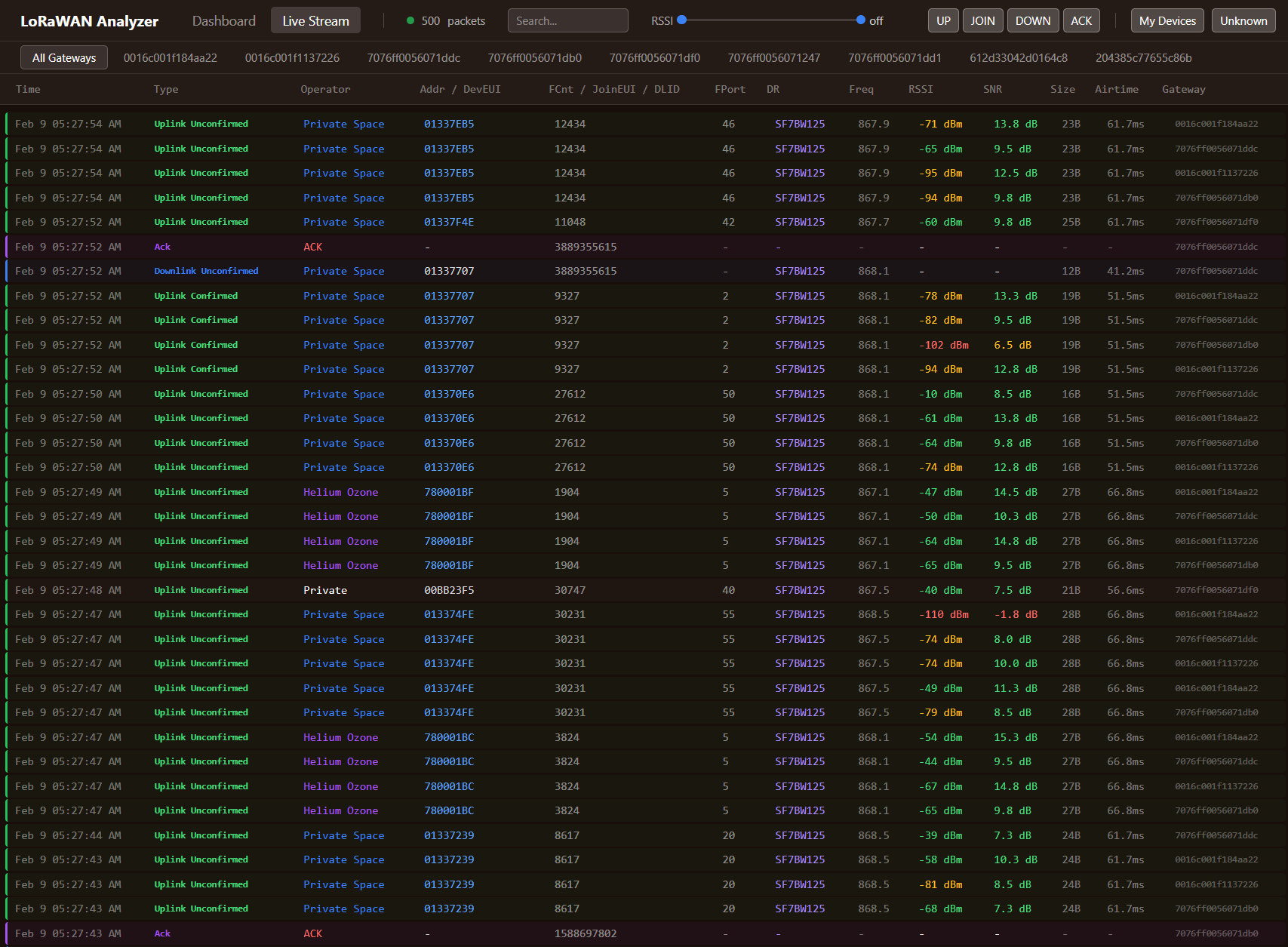
What you are looking for is a join request carrying your device's DevEUI. If one appears, the radio path works and the problem is upstream in configuration. If nothing appears at all, the problem is physical or regional and no amount of key checking will help. If a request appears and a join accept goes out but the device keeps requesting, the downlink is failing.
That third case is the one people misdiagnose most often, because from the network server's point of view everything worked. It sent the accept. Whether the device heard it is a different question, and the network server frequently cannot tell you.
Case One: Nothing Reaches the Gateway
When the gateway sees no join request at all, work through causes in this order, because they are ordered by how often they turn out to be the answer.
The wrong regional band is first and it is not close. A device built or configured for 868 MHz cannot be heard by a 915 MHz gateway, and the failure is silent and total. Regional SKUs look identical, get mixed in a warehouse, and get shipped across borders, which is why the frequency plans guide treats this as the first question in any deployment rather than a detail.
The device is not actually transmitting. A surprising number of sensors ship in a storage or shipping mode that has to be released with a magnet, an NFC tap, a button hold, or a pull tab, and until you do, the device is asleep and the LED you are watching means something else. Battery orientation and battery contact failures belong in the same bucket, as does an antenna that was never connected or was connected to the wrong port.
The sub-band mismatch, which is specific to US915, AU915 and the other 64-channel plans, and which produces a very distinctive symptom: joins that eventually succeed after a long and unpredictable delay. The device hops its join requests across all 64 uplink channels while the gateway typically listens to eight of them, so roughly one attempt in eight lands where anyone is listening. If a device takes twenty minutes to join and then works fine, this is almost always why, and the fix is to configure the device's channel mask or join sub-band to match the gateway rather than to wait.
Coverage, last, because it is the cause everyone suspects first and it is rarely the answer during commissioning, when the device is usually on a desk near the gateway. It matters when the device is being commissioned in its final location, in a basement or a metal cabinet, and the honest way to settle it is a range assessment rather than an argument. If a device joins on the bench and not in place, this is your answer.
One more possibility worth eliminating cheaply: confirm the gateway itself is actually forwarding. A gateway can be online, reachable, and showing green while its packet forwarder is misconfigured or its concentrator has failed. Put a known-good device next to it. If the gateway hears nothing from anything, stop looking at the device.
Case Two: The Request Arrives and Nothing Comes Back
Now the radio path is proven and the problem is data. There are five realistic causes.
Byte order. LoRaWAN sends the DevEUI and JoinEUI over the air least-significant-byte first, while most user interfaces and most device labels present them most-significant-byte first, and not all vendors agree on which one they printed. Enter a reversed EUI and the network server looks up a device that does not exist, or finds one whose AppKey produces a failing message integrity check. The device transmits perfectly and joins nothing. If your server shows the DevEUI it received in the join request, compare it byte for byte with what you registered, reversed and unreversed, before touching anything else.
A wrong or mistyped AppKey. The join request's integrity code is computed with the AppKey, so a single wrong byte fails the check and the request is discarded. Servers usually log this as an invalid MIC, which is worth knowing because it is the one error message that tells you precisely what is wrong: the identity matched, the key did not.
DevNonce rejection, which produces the most confusing symptom of all: a device that joined perfectly for months and now refuses to join, immediately after a battery change or a factory reset. Under LoRaWAN 1.0.4 and 1.1 the DevNonce is a counter that must increase, and the join server rejects any value it has already seen in order to block replay attacks. A device that resets its counter to zero is, from the server's point of view, replaying old requests. The fix is to clear that device's stored nonce history on the server, and the thing to understand is that this is the security mechanism working correctly, not a bug.
Registered in the wrong place. The device exists, but in a different application, a different tenant, or with an activation mode that does not match: registered for ABP while the firmware is doing OTAA, or the reverse. In multi-tenant setups, a gateway assigned to the wrong tenant will also cause its traffic to be discarded upstream even though the packet log shows it arriving.
A duplicate DevEUI, which is rare with production hardware and common with development kits, evaluation boards and anything that was ever cloned. Two devices with the same identity produce joins that appear to work intermittently and sessions that keep getting reset.
Case Three: The Accept Goes Out and the Device Misses It
This is the interesting one, and it is where genuine RF and timing knowledge earns its keep. The network server believes it has done its job. The device is still asking.
Join accepts use their own timing: the first window opens five seconds after the join request, and the second at six, where a normal uplink uses one and two. Everything in the chain has to agree on that, and everything in the chain has to be fast enough to make it.
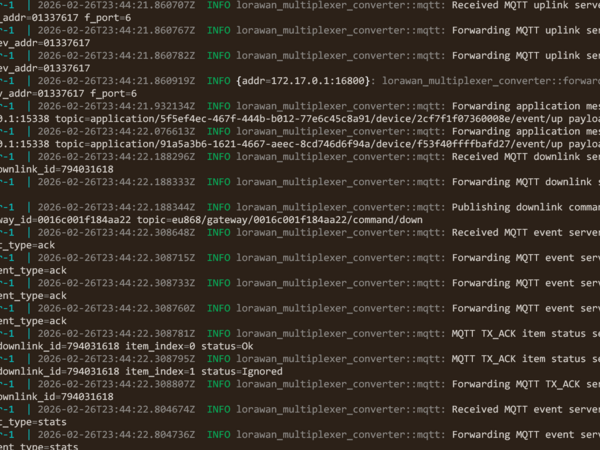
Downlink arrived too late is the most common cause and the easiest to confirm. The network server has to receive the uplink, process it, and get the accept back to the gateway before the window opens, and a slow or distant backhaul eats that budget. The gateway reports the outcome: a transmit acknowledgement carrying a TOO_LATE error is a definitive answer, and it points at network latency rather than radio. A cellular-backhauled gateway talking to a server on another continent is the classic setup for this, and moving the network server closer, or hosting it yourself, fixes what no device setting can.
The gateway's own duty cycle, in the regions that have one. A gateway must respect transmission limits on its downlink channels, and a gateway that has spent its budget cannot send the accept at all. The symptom is joins that succeed when the network is quiet and fail during a busy period or during a mass rejoin, which makes it look intermittent and random when it is neither. The duty cycle and airtime article covers the accounting; here it is enough to know that downlink capacity is a finite resource and joins compete for it.
RX2 parameters that do not match. The second receive window uses a fixed frequency and data rate, and the defaults are not universal: EU868 specifies 869.525 MHz at SF12, but some networks run SF9 there instead, and US915 uses 923.3 MHz at SF12 on the 500 kHz channel. If the network's RX2 configuration and the device's expectation differ, the first window may still work at short range while the second never does, so devices join near the gateway and fail further away. Any fleet where joins succeed close in and fail at distance is worth checking here.
A join storm. After a site-wide power cut, every device tries to rejoin at once, and each join needs a downlink from a half-duplex gateway that can only transmit one at a time and must respect its duty cycle while doing it. The network is not broken; it is saturated by its own recovery. Firmware that randomises its rejoin backoff prevents this, firmware that does not turns a five-minute outage into an hour of chaos, and it is worth asking about before buying a fleet.
Joined, But Still No Data
A near neighbour of the same problem, and worth naming because it generates the same phone call. The device joins, uplinks appear in the network server, and the application shows nothing.
That is not a radio problem at all. It is almost always the payload decoder throwing an error or returning nothing, an integration pointed at the wrong endpoint, or a consumer filtering on an FPort the device does not use. Check the network server's raw frames first: if the encrypted payload is arriving and decoding to bytes, the LoRaWAN half of the system has done its job and the fault is in software you control.
The Order to Work In
- Open the gateway traffic view and power-cycle the device. Everything else depends on what you see there.
- No join request at all: check the regional band, confirm the device is out of shipping mode, check the antenna, and on US915 or AU915 check the join sub-band.
- Join request but no accept: compare the received DevEUI byte for byte against what is registered, in both byte orders, then check the AppKey, then the tenant and activation mode.
- A device that joined for months and stopped after a battery change: clear its DevNonce history.
- Accept sent but the device keeps asking: look for
TOO_LATEin the gateway's transmit acknowledgements, then check downlink duty cycle, then RX2 frequency and data rate. - Joins fine at the bench, not in place: that is coverage, and it needs measuring rather than guessing.
- Joined but no data: the radio is fine, go and read the payload decoder.
Most of these take a minute each once you know which case you are in, which is the entire point of spending the first thirty seconds finding out.
What I Provide
Commissioning problems are expensive in a way that does not show up on any invoice: an installer standing in a plant room, a customer watching, and a device that will not come up. The failures above are finite and well understood, but knowing which of the three you have, and reading a transmit acknowledgement or a nonce rejection for what it actually says, is the difference between ten minutes and a wasted afternoon.
I troubleshoot LoRaWAN deployments that will not commission or have started dropping devices, using an independent traffic analyzer that shows what is really on the air rather than what a platform reports about itself. That covers join and downlink diagnosis, network server and device profile configuration, payload decoders, and the coverage measurement that settles the arguments no configuration change can. I also build commissioning procedures your installers can follow, so the next hundred devices come up without a phone call.
Everything I deliver comes with source code and documentation, and there are no recurring fees. If a rollout has stalled on devices that will not join, that is a solvable problem with a short list of causes.
Working on a LoRaWAN project?
If this article touches on something you're building, tell me about it. The first conversation is free, and you'll get an honest read on the right approach for your situation.
Book a Free ConsultationCurious what the finished thing looks like? Open the live demo dashboard