Solar-Powered LoRaWAN Mesh Gateway with SenseCAP M2 and ChirpStack OS
Understanding Mesh Limitations
Start with the constraint that governs the whole design: ChirpStack Gateway Mesh is built for sparse, low-density deployments. Every relay transmission consumes airtime, and in regions like EU868, strict duty-cycle rules (1% on most channels) cap how much a relay can forward.
The math is simple. A relay receives an uplink and retransmits it toward the border gateway, two transmissions per packet, and in a multi-hop chain that airtime multiplies with each hop. Put dozens of high-traffic devices behind one relay and you hit the duty-cycle ceiling fast, at which point the relay is a bottleneck, not for lack of processing power, but because it legally cannot transmit any more.
Mesh earns its place when devices transmit infrequently, somewhere in the 15 to 60 minute range, when the device density behind each relay is sparse, meaning tens rather than hundreds, when extending coverage matters more than raw capacity, and when the location is remote enough that conventional backhaul to every gateway is impractical or absurdly expensive.
It is the wrong choice in the mirror image of those conditions: high device density behind a relay, devices reporting every few minutes or faster, or a duty-cycle-regulated region already carrying heavy traffic, where the relay's own retransmissions compete for the same airtime budget as the devices it is meant to serve.
For high-density needs, traditional gateways with cellular or Ethernet backhaul stay the better answer, since each handles its own traffic without relay overhead. You can also set DevAddr prefix filtering on a relay so it forwards only traffic from specific device-address ranges, keeping it from wasting airtime on devices that should connect directly to a border gateway.
Why Mesh Solves Real Deployment Problems
Within those limits, mesh changes the economics of remote coverage. The SenseCAP M2 runs ChirpStack Gateway OS, an OpenWrt-based embedded OS for LoRa gateways; it ships with SenseCAP's factory firmware, but flashing ChirpStack Gateway OS enables mesh through the bundled ChirpStack Gateway Mesh component. The payoff is that you can deploy relay gateways that extend LoRaWAN coverage without an internet connection at every gateway location.
Solar-powered relays in remote spots forward packets to internet-connected border gateways, no cellular backhaul, no monthly connectivity fees, just LoRa-to-LoRa relaying. A single border gateway with internet can coordinate relays covering terrain where running Ethernet or cellular would be prohibitively expensive, as long as device density and transmission frequency stay within the duty-cycle limits above.
Hardware: SenseCAP M2 Multi-Platform Gateway
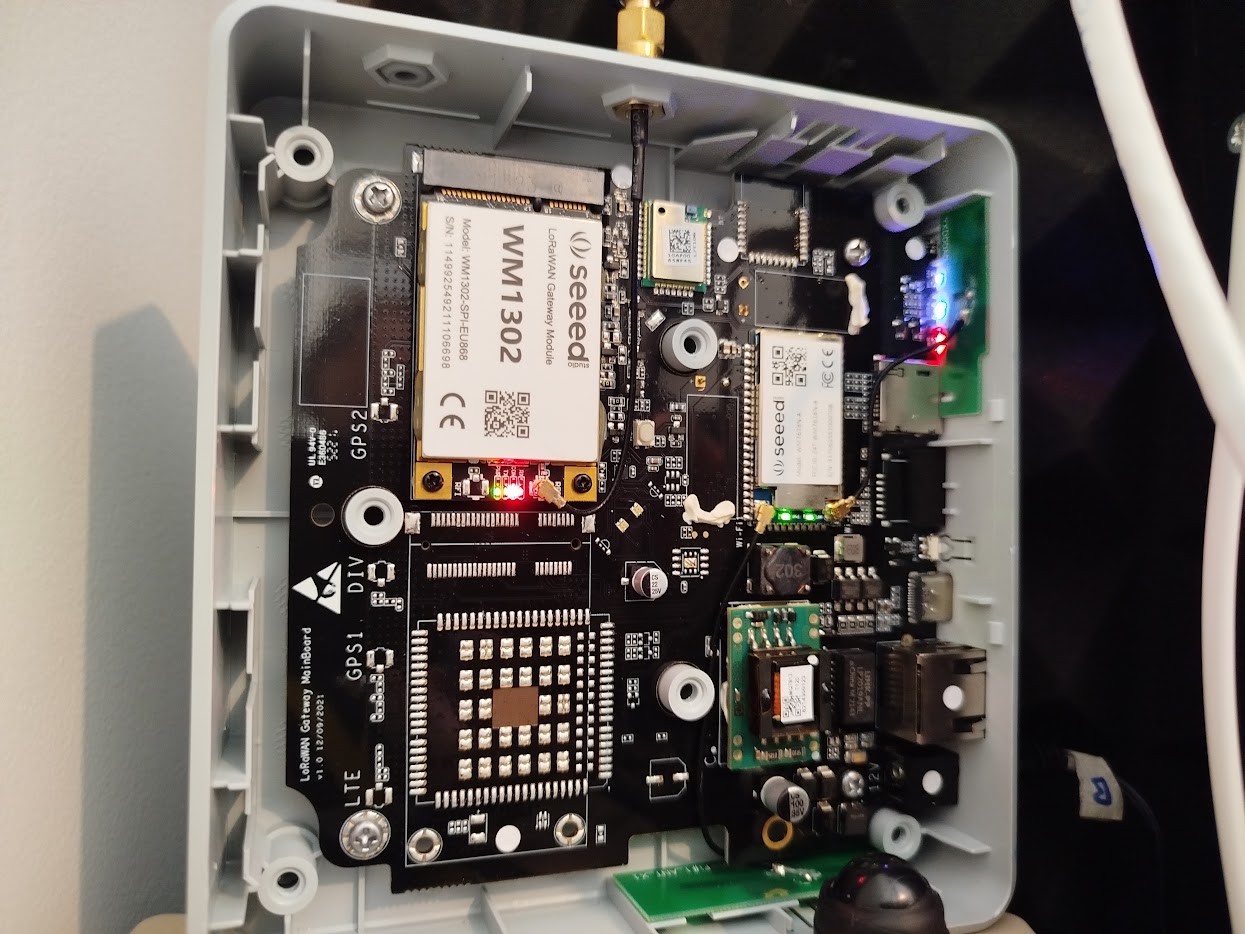
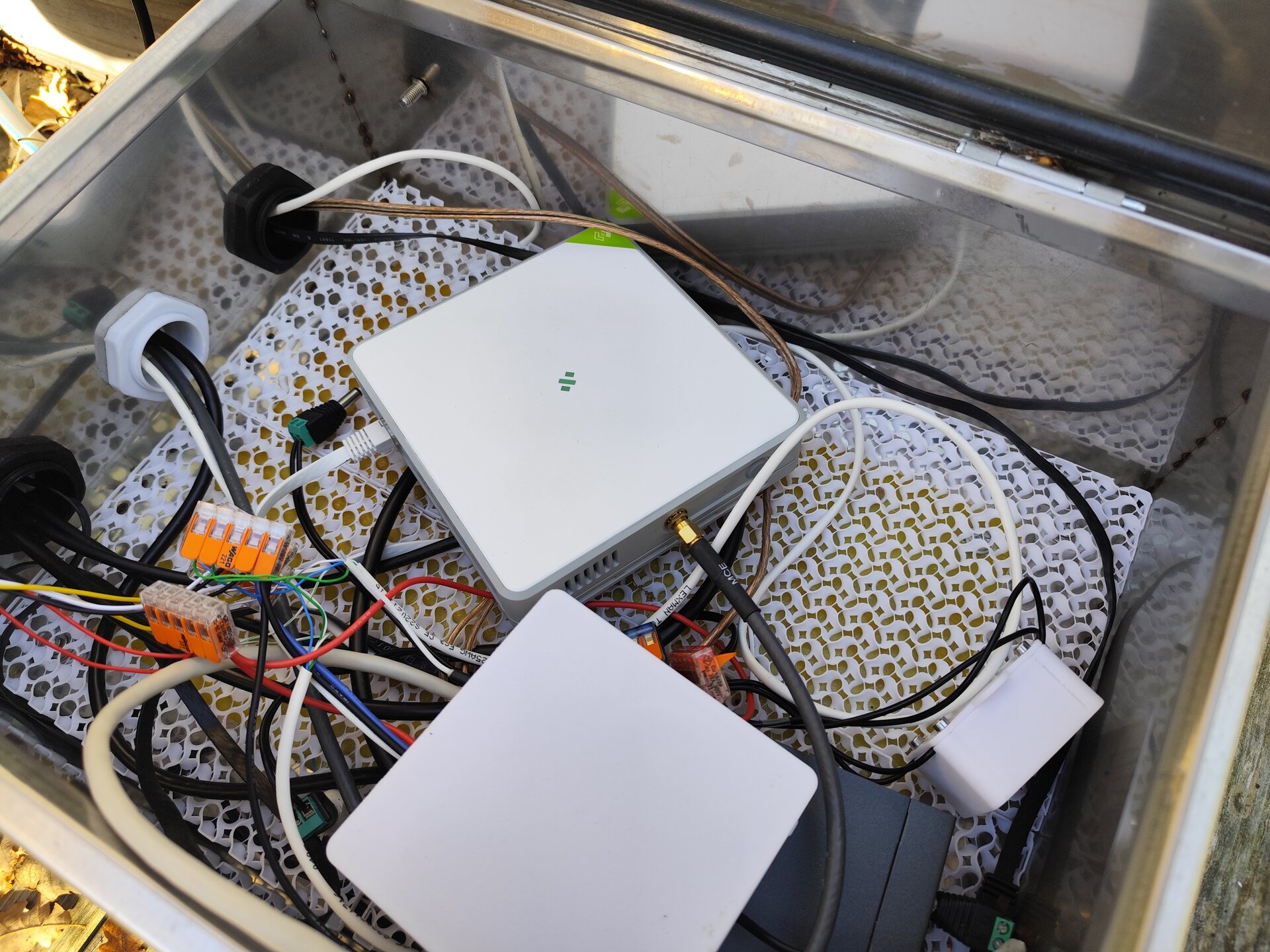
The SenseCAP M2 pairs an MT7628 processor with the Semtech SX1302 baseband, the latest-generation LoRa concentrator. It ships with a 3 dBi antenna that's upgradeable for extra range, and it supports PoE, so one Ethernet cable delivers both network and power with no separate supply, which simplifies installation considerably. Connectivity covers Ethernet and WiFi with optional 4G, and it supports all standard frequency plans: EU868, US915, AS923, and IN865.
It makes an especially good border gateway, the internet-connected hub, because PoE enables a clean install: mount it anywhere with Ethernet and it handles the mesh coordination. ChirpStack Gateway OS v4.7.0+ officially supports it, flashing is straightforward through the web interface, and it costs considerably less than an industrial gateway while keeping decent build quality for production.
How ChirpStack Gateway Mesh Works
Mesh extends coverage by adding relay gateways that need no internet, forwarding uplinks and downlinks between end-devices and border gateways to create multi-hop coverage across terrain where traditional deployment would be impractical.
The two roles are simple. A border gateway runs ChirpStack Gateway OS with internet connectivity: it encapsulates and de-encapsulates the mesh protocol, forwards LoRaWAN packets to the ChirpStack network server, and terminates the mesh, which is exactly where the SenseCAP M2's PoE shines. A relay gateway needs no internet at all and can run on solar or battery in a remote location; its only job is to relay packets between end-devices and the border gateway (or the next relay), running the same mesh component with relay configuration instead of border configuration.
The system supports up to 8 hops between an end-device and the border gateway. Each relay increments the hop count and recalculates the message integrity code (MIC) to preserve security, so a packet can traverse eight relays before reaching the internet-connected border gateway, enough for extensive coverage across a large deployment. On an uplink, the end-device transmits standard LoRaWAN, a relay receives it and wraps it with mesh headers (adding 14 bytes), forwards it hop by hop, and the border gateway finally unwraps it back to standard LoRaWAN and hands it to the network server; downlinks reverse the path. Security rests on an AES128 key shared across every participating gateway plus the per-packet MIC, so a gateway with the wrong key simply can't join or relay. And crucially, all of this happens at the gateway level, meaning your end-devices need no firmware changes, they speak ordinary LoRaWAN, unaware that relays exist, so existing devices work unmodified.
Installing ChirpStack Gateway OS on the SenseCAP M2
Gateway OS v4.7.0+ bundles the whole stack, ChirpStack v4.11.1, Concentratord v4.4.7, Gateway Mesh v4.0.1, OpenWrt v24.10.0, and the LuCI web interface, so you're not assembling components from different sources.
To install it, download the ChirpStack Gateway OS image for the SenseCAP M2 from the chirpstack.io downloads page. Open the M2's web interface (it defaults to DHCP, or use the static fallback 192.168.168.1), go to System > Backup/Flash Firmware, and upload the image. One critical step: deselect "Keep settings and retain current configuration" before flashing, because you want a clean install, not a configuration merge that can cause problems. Click Continue and allow roughly 5-10 minutes for the flash and reboot.
After it reboots, connect over SSH or the web interface and choose Border Gateway mode (internet-connected) or Relay Gateway mode (no backhaul), set the mesh AES128 key (it must match across every gateway in the mesh), configure the frequency plan and region, and on border gateways add the network server connection details.
Two notes: you can revert to the original SenseCAP firmware anytime by flashing it from the Seeed GitHub repository through the same interface, and the M2 build of Gateway OS omits the full ChirpStack network server and Node-RED due to the device's memory limits, it contains only the gateway components needed for mesh.
Real-World Deployment Scenarios
Remote agricultural monitoring puts the border gateway at the main building with internet, and solar-powered relays out across the fields, a 50 W panel, 100 Ah battery, and weatherproof enclosure at each. Soil-moisture sensors and weather stations connect to the nearest relay and hop back to the border gateway, so where running Ethernet or paying monthly cellular to every location would be prohibitive, the solar relays remove those recurring costs entirely and typically pay for themselves inside the first year against cellular fees.
Industrial sites with coverage gaps exploit the mesh to beat metal buildings that block LoRa. Rather than fighting through metal walls at SF12 (slow, battery-draining), place a relay inside the building: indoor devices reach it on efficient SF7, and only the relay-to-border outdoor hop uses SF12, which improves both battery life and reliability sharply.
Urban network extensions mount the border gateway on a rooftop for downtown coverage and drop relays into the dead zones, underground parking, subway stations, dense urban canyons, where tall buildings block signal. Since relays need no backhaul, you mount them wherever the signal is weak, power them by PoE or solar, and extend coverage without new infrastructure.
Configuration Examples
Border Gateway (Internet-Connected)
[mesh]
enabled=true
signing_key="your-aes128-key - here"

[mesh.border_gateway]
enabled=true
Point the network server address at your ChirpStack instance (self-hosted or cloud).
Relay Gateway (No Internet)
[mesh]
enabled=true
signing_key="your-aes128-key - here"

[mesh.relay]
enabled=true
No network server configuration is needed; the relay only forwards packets between LoRa interfaces.
Multi-Region Support
As of v4.7.0, ChirpStack Gateway Mesh supports AS923 and IN865 in addition to EU868, US915, and the other standard bands.
Performance Considerations
A few factors shape how the mesh behaves in practice. Latency grows with each hop from LoRa air time and processing, so keep the hop count low where actuators need a fast response (irrigation valves, industrial controls), while monitoring that reports every 10-15 minutes won't notice it. Packet overhead is the 14 bytes the mesh adds per uplink, which matters against LoRaWAN's tight payload limits, SF12 in EU868 allows only 51 bytes of application payload, so a 40-byte sensor payload is fine but a 200-byte one will hit the wall. Relay placement needs line-of-sight or near-line-of-sight to the next hop, because unlike an end-device that can hide behind an obstacle and still reach a gateway on SF12, a gateway-to-gateway link carrying aggregated traffic needs a reliable path, so place a relay temporarily, verify signal to the next hop, then mount it. And for solar, size the panel and battery for the worst case, not the average, accounting for winter sun angles, short days, and consecutive cloudy spells, since an undersized system runs fine in summer and fails exactly when you need it in winter.
Solar Power System Design for Mesh Relays
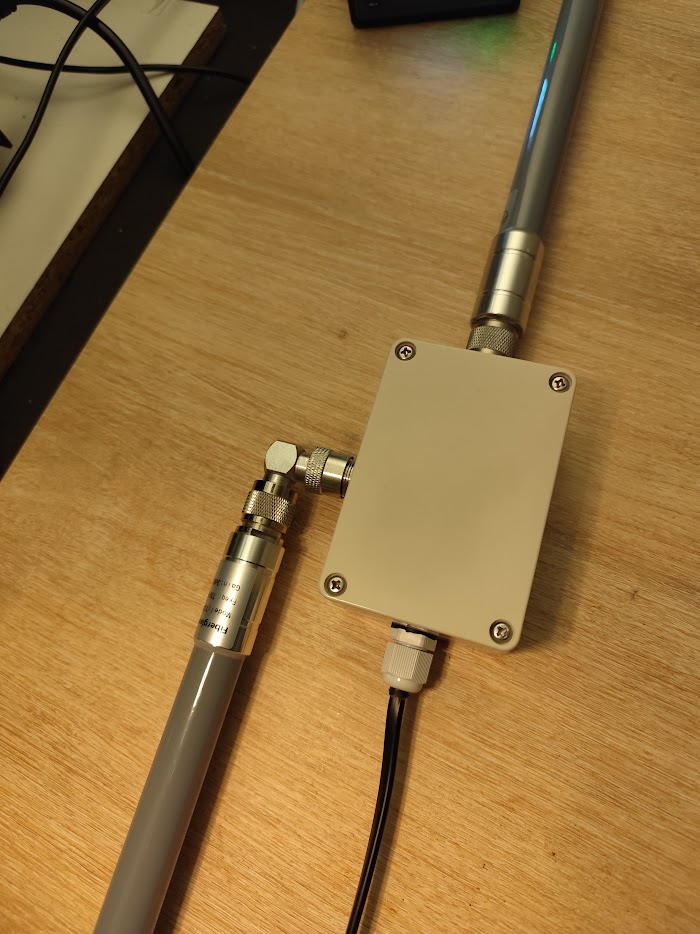
The M2 draws about 3-5 W depending on traffic, modest for solar but not trivial, and getting the system right is the difference between a relay that runs year-round and one that dies in the worst winter week.
Power budget. At 3-5 W continuous, that's 72-120 Wh per day, and the panel must cover that plus charging losses (typically 20-30% for lead-acid, 10-15% for lithium). At 45° latitude in winter you get only 2-3 peak sun hours, so a 30 W panel yields 60-90 Wh on a good winter day, barely enough, while a 50 W panel gives margin for cloudy stretches.
Battery sizing. Plan for 3-5 days of autonomy without sun, so at ~100 Wh/day that's 300-500 Wh of usable capacity. LiFePO4 is the best choice, tolerating 80% discharge, lasting 2000+ cycles, and handling brief sub-freezing spells in an insulated enclosure; lead-acid caps at 50% discharge, so you'd need twice the nameplate capacity for the same usable energy.
Components. In temperate climates a 50 W panel with a 50 Ah LiFePO4 battery runs reliably year-round with good margin, and LiFePO4's deeper discharge means that 50 Ah delivers the usable capacity of 100 Ah lead-acid at half the weight. Use an MPPT charge controller, since PWM wastes 15-30% of panel output, and because the M2 runs directly from 12 V, the battery connects straight to the gateway with no DC-DC converter.
Mounting and cold. Give the panel unobstructed equator-facing exposure (south in the northern hemisphere, north in the southern), tilt it roughly to your latitude, or steeper to favour winter, and check seasonal shading, since trees that don't shade in summer can when the winter sun sits low. LiFePO4 handles short cold spells fine, an insulated enclosure plus the few watts of heat the gateway itself throws off keeps temperatures manageable, and only sustained extreme cold (weeks below -10°C) calls for heated batteries or lead-acid. Finally, add battery-voltage monitoring, the M2 can report voltage via custom scripts, so you're warned before a battery drains and can schedule maintenance before the relay goes offline.
How It Compares
Against cellular backhaul at every gateway, mesh wins on recurring cost: ten cellular gateways mean ten SIM bills forever, cellular needs signal that rural sites often lack, and continuous modems draw significantly more power than a LoRa-only relay, so where some locations have Ethernet and others don't, mesh relays eliminate the recurring fees entirely. Against proprietary LoRaWAN repeaters, mesh avoids the lock-in: those tie you to vendor protocols and hardware, usually cap out at single-hop or limited multi-hop where ChirpStack does 8, cost more for specialized equipment, and leave you stuck if the vendor discontinues the line or raises prices. Against point-to-point WiFi or microwave backhaul, mesh wins on simplicity: those deliver high bandwidth but demand precise aiming, clear line-of-sight, and interference management, whereas LoRa relays use omnidirectional antennas that need no aiming, and for simple packet forwarding where bandwidth isn't the concern, the commodity-gateway relay is both simpler and cheaper.
Limitations
Be clear-eyed about what mesh does and doesn't do. It doesn't remove internet connectivity, border gateways still need backhaul to reach the network server; you're reducing the number of backhaul connections, not eliminating them. The 8-hop maximum means very large deployments spanning dozens of kilometers should use multiple border gateways rather than one extremely long chain, so plan topology accordingly. There's no quality-of-service or prioritization, the mesh treats every packet equally, so it suits typical monitoring where devices report every few minutes rather than real-time streaming, and a relay handling hundreds of frequent transmitters becomes a congestion point. And as covered up front, duty-cycle limits still apply: a relay forwarding traffic from 50 end-devices can hit the 1% ceiling if they transmit too often, and there again the relay is the bottleneck through legal transmit-time limits, not processing power.
What I Provide
I design mesh networks around the terrain and coverage you actually have: topology planning, gateway placement based on RF propagation modeling, ChirpStack infrastructure setup (self-hosted or cloud), solar power sizing for the remote relays, security configuration, and the performance testing to prove it all works. Any custom integration or data pipeline comes with full source code and documentation, running on infrastructure you control, with no licensing fees or lock-in.
I don't sell hardware. I specify what your deployment needs, the SenseCAP M2 or an alternative gateway, a properly sized panel and LiFePO4 battery, MPPT controller, enclosure, and antennas, help you source it, and configure the open-source stack into a mesh network that solves your coverage problem.
Open Source Advantages
ChirpStack Gateway OS is fully open source, so you can inspect every line running on your gateways and, if a requirement demands it, fork and customize the firmware, with no vendor permission, licensing negotiation, or waiting for a feature request to be prioritized. That also means no lock-in: proprietary vendors force firmware updates, deprecate features, and raise fees, whereas here you decide when (or whether) to upgrade, the software keeps working because you hold the source, and if the maintainers change direction the community can continue it. The absence of per-gateway licensing matters at scale, deploy 10 or 1,000 and the software cost is the same, where proprietary systems charge per gateway or per message and turn a successful deployment into an escalating bill. And this isn't an unofficial port: the SenseCAP M2 officially supports open-source firmware, with Seeed maintaining compatibility across Gateway OS releases. The result is full control of the entire stack, open hardware running open-source software in a mesh topology that eliminates recurring backhaul costs, hardware to firmware to network server, all yours.
Working on a LoRaWAN project?
If this article touches on something you're building, tell me about it. The first conversation is free, and you'll get an honest read on the right approach for your situation.
Book a Free ConsultationCurious what the finished thing looks like? Open the live demo dashboard