LoRaWAN Gateway Protocols: Semtech UDP, Basics Station, and MQTT
The Part of LoRaWAN Nobody Specified
The LoRaWAN specification describes what happens over the air: how a device joins, how frames are encrypted, how the MAC layer negotiates data rates and channels. It says almost nothing about how a gateway hands those frames to a network server. That backhaul link was left to implementers, and the result is that three different protocols are in wide use today, none of them interchangeable, all of them shipping on hardware you can buy right now.
This matters more than it sounds like it should. The choice of backhaul protocol determines whether your gateway traffic is encrypted, whether you notice when the link fails, whether downlinks arrive on time, and how much work it takes to move a fleet from one network server to another. A gateway that works perfectly on the air can be useless because its backhaul is misconfigured, and the symptoms look identical to a radio problem.
Semtech UDP (GWMP): The One That Runs Everywhere
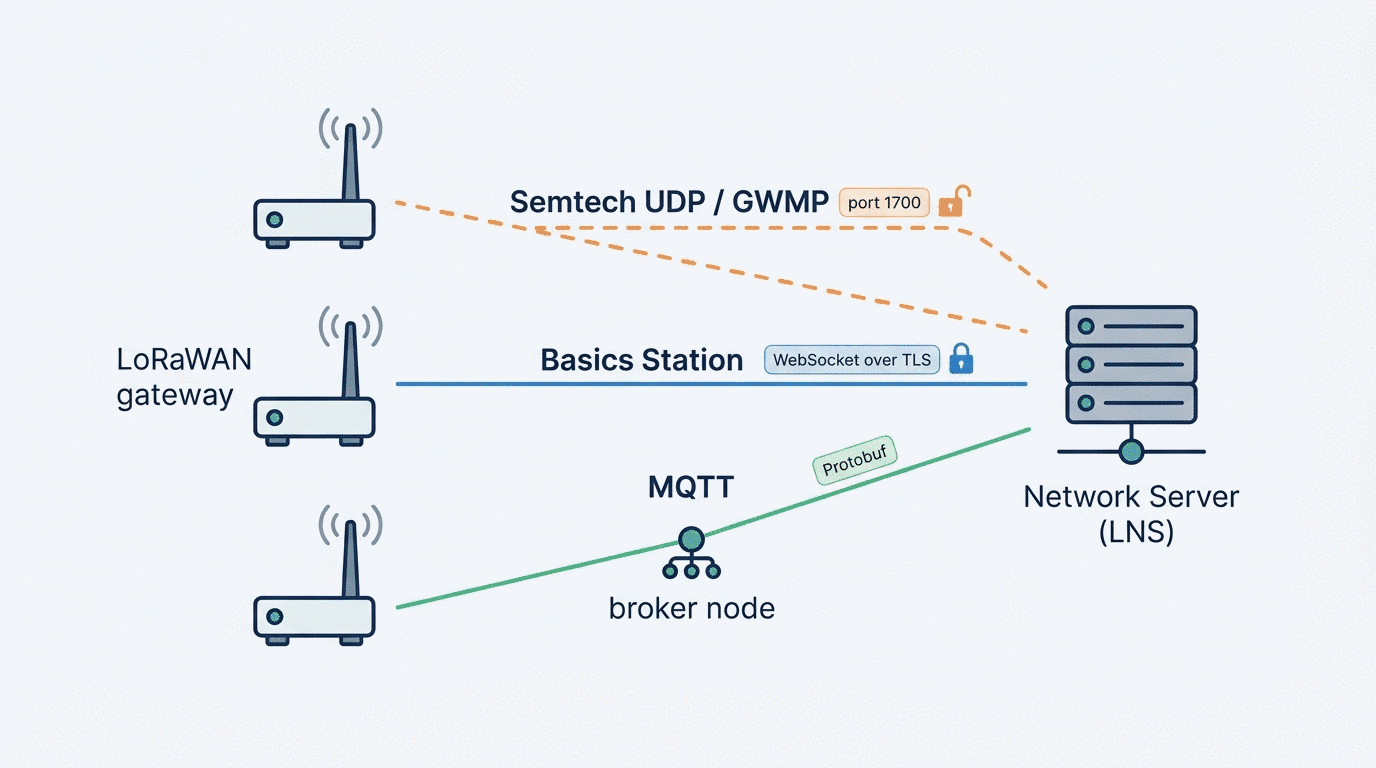
The Semtech packet forwarder is the original, and it is still the most widely deployed. It speaks a protocol usually called GWMP (Gateway Message Protocol), and the whole thing fits in a short document: the gateway sends JSON payloads over UDP, conventionally to port 1700, and the server acknowledges them.
There are five message types. PUSH_DATA carries uplinks and gateway statistics from the gateway to the server, and the server replies with PUSH_ACK. PULL_DATA is a keepalive the gateway sends every few seconds to punch a hole through NAT so the server can reach back, answered by PULL_ACK. PULL_RESP is the server pushing a downlink through that hole, and TX_ACK is the gateway reporting whether it managed to transmit it. Radio payloads are base64-encoded inside JSON, with metadata like frequency, spreading factor, RSSI, SNR, and timestamp alongside.
Its virtues are real. It is trivial to implement, it runs on every gateway that has ever shipped, and its overhead is close to nothing, which matters on metered cellular backhaul. If you have old hardware in the field, this is almost certainly what it speaks.
Its weaknesses are equally real, and they are the reason the other two protocols exist.
There is no encryption and no authentication. The JSON goes over the wire in the clear. Anyone in the path can read your gateway metadata, see your device addresses, and observe your traffic patterns. Worse, nothing stops an attacker from sending forged PUSH_DATA packets to your server pretending to be your gateway, or from spoofing PULL_RESP downlinks toward your gateway. The LoRaWAN payload itself is still encrypted end-to-end with AES-128, so the application data stays confidential, but the metadata is wide open and the control plane is unauthenticated. The usual mitigation is to run the whole thing inside a VPN tunnel, which works, but it means the security lives outside the protocol.
UDP does not retransmit. A dropped uplink is simply gone. On a good wired link this is rarely a problem, and LoRaWAN is designed to tolerate loss anyway, but on flaky cellular backhaul it becomes a quiet source of missing data that looks like poor radio coverage.
The gateway has no identity beyond its EUI. Authentication is essentially "this packet claims to be from gateway EUI X". There is no credential, no certificate, nothing to verify.
Configuration lives on the gateway. Frequency plan, server address, port, all of it sits in a global_conf.json and local_conf.json on the device. Changing the network server means touching every gateway, which is exactly the problem that makes migrations expensive.
Basics Station: Semtech's Answer to Its Own Protocol
Semtech eventually shipped a replacement. Basics Station (the LoRa Basics Station, sometimes written BasicStation) is a rewritten forwarder that uses WebSocket over TLS instead of raw UDP, and it fixes most of what was wrong.
The connection model is different in a useful way. The gateway first connects to a CUPS endpoint (Configuration and Update Server) over HTTPS. CUPS tells the gateway which LNS to connect to, hands it credentials, and can push firmware and configuration updates. The gateway then opens a persistent WebSocket to the LNS endpoint it was given, and from that point uplinks and downlinks flow over that single long-lived connection as JSON messages.
The consequences are worth spelling out:
The link is encrypted and authenticated. TLS with certificates, or token-based authentication, depending on how you set it up. Both sides know who they are talking to, and nobody in the middle can read or inject traffic. Security is part of the protocol rather than something you bolt on with a VPN.
The connection is stateful, so failure is visible. A WebSocket is either up or down. When it drops, both ends know immediately, and the gateway reconnects. Compare that to UDP, where a gateway can appear healthy while its packets vanish into a black hole.
The frequency plan comes from the server. This is the change that matters most operationally. The gateway does not carry a regional configuration file; the LNS sends it the channel plan when it connects. Migrating a fleet becomes a server-side operation rather than a fleet-wide config edit.
CUPS makes remote management part of the design. Repointing gateways at a new LNS, rotating credentials, pushing firmware, all of it goes through CUPS rather than through SSH sessions on individual devices.
Timing is handled properly. Basics Station uses a monotonic clock reference (MuxTime/GPS time) for scheduling downlinks, which makes Class B beaconing and precise Class A downlink windows more reliable than the older forwarder's timestamp handling.
The trade-offs: it is more complex to deploy, since you need certificates or tokens and a CUPS endpoint. TLS adds overhead, which is noticeable on a low-bandwidth metered link. Not every network server supports it, and older gateway hardware often cannot run it at all. Debugging a TLS handshake failure on a gateway on a mast is less pleasant than reading plaintext JSON off a UDP socket.
MQTT: Not a Gateway Protocol, but Used Like One
The third option is different in kind. ChirpStack's internal architecture uses MQTT as the message bus between its gateway bridge and the network server. The gateway bridge takes Semtech UDP or Basics Station traffic, converts the payloads to Protobuf, and publishes them to topics like gateway/{gateway_id}/event/up, with downlinks arriving on gateway/{gateway_id}/command/down.
On most ChirpStack deployments the bridge runs on the gateway itself, so from the network server's point of view the gateway is an MQTT client. This is not a LoRaWAN protocol in any formal sense, it is an integration pattern, but in practice it is a third way a gateway can be connected, and it has properties the other two do not.
Delivery is acknowledged. MQTT QoS gives you at-least-once delivery over TCP, so uplinks are not silently dropped the way they are with UDP.
Security uses ordinary broker tooling. TLS, client certificates, username/password, and per-topic access control lists, all of it standard MQTT infrastructure that your ops team may already run.
Traffic fans out naturally. Because it is publish/subscribe, anything that subscribes to the gateway topics gets a copy: a monitoring service, an analytics pipeline, a second network server. No changes on the gateway are needed to add a consumer.
Payloads are Protobuf, not JSON. More compact and faster to parse than the JSON of the other two, at the cost of not being human-readable on the wire.
The catch is that you now depend on a broker. It is another service to run, secure, and keep available, and if it goes down every gateway pointed at it goes quiet at once. And the approach is tied to the ChirpStack ecosystem, so it is not a general answer for arbitrary network servers.
Side by Side
| Semtech UDP (GWMP) | Basics Station | MQTT (ChirpStack) | |
|---|---|---|---|
| Transport | UDP, port 1700 | WebSocket over TLS (443) | TCP, MQTT (1883 / 8883 TLS) |
| Encryption | None | TLS | TLS |
| Authentication | Gateway EUI only | Certificates or tokens | Broker credentials / certs |
| Delivery | Best effort | Reliable (TCP) | QoS-acknowledged |
| Payload format | JSON + base64 | JSON | Protobuf |
| Frequency plan | On the gateway | From the LNS | On the gateway |
| Remote management | None built in | CUPS | Via broker/tooling |
| Failure visibility | Silent | Immediate | Immediate |
| Hardware support | Universal | Newer gateways | Anything running the bridge |
| Overhead | Minimal | Moderate (TLS) | Low to moderate |
Choosing
Most fleets are not built from scratch, so the honest answer usually starts with what the hardware supports.
If the gateways are old, you are running Semtech UDP whether you like it or not. Put it inside a VPN tunnel, and treat the tunnel as the security layer. This is a perfectly reasonable production setup and a great many networks run this way.
If you are deploying new hardware and can choose, Basics Station is the better default. Encrypted transport, credentials, server-side frequency plans, and CUPS-based management are worth the added deployment complexity, and the operational payoff shows up the first time you need to repoint a fleet.
If you are running ChirpStack, MQTT on the gateway is a natural fit, particularly if you want traffic to fan out to monitoring or analytics without touching gateway configuration. Just be clear-eyed that the broker becomes a piece of infrastructure with its own availability requirements.
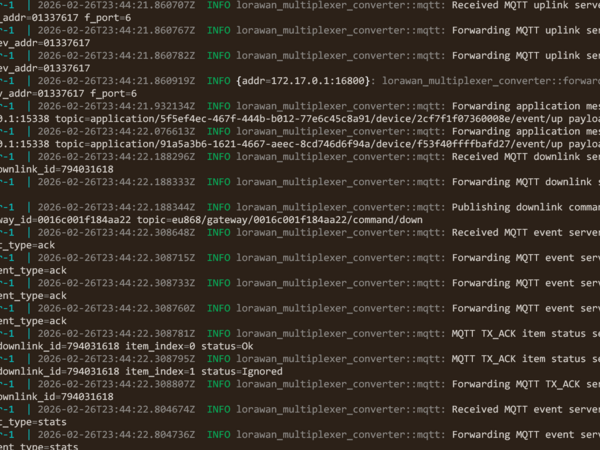
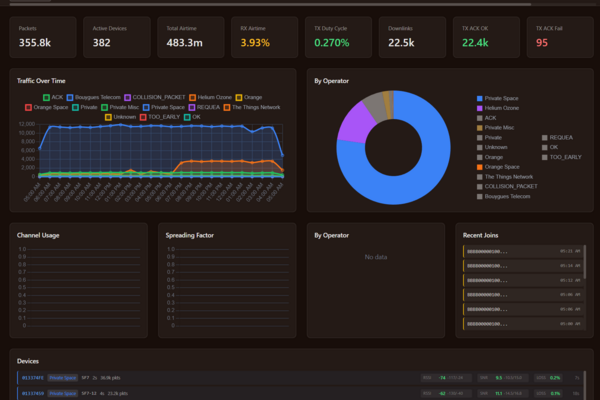
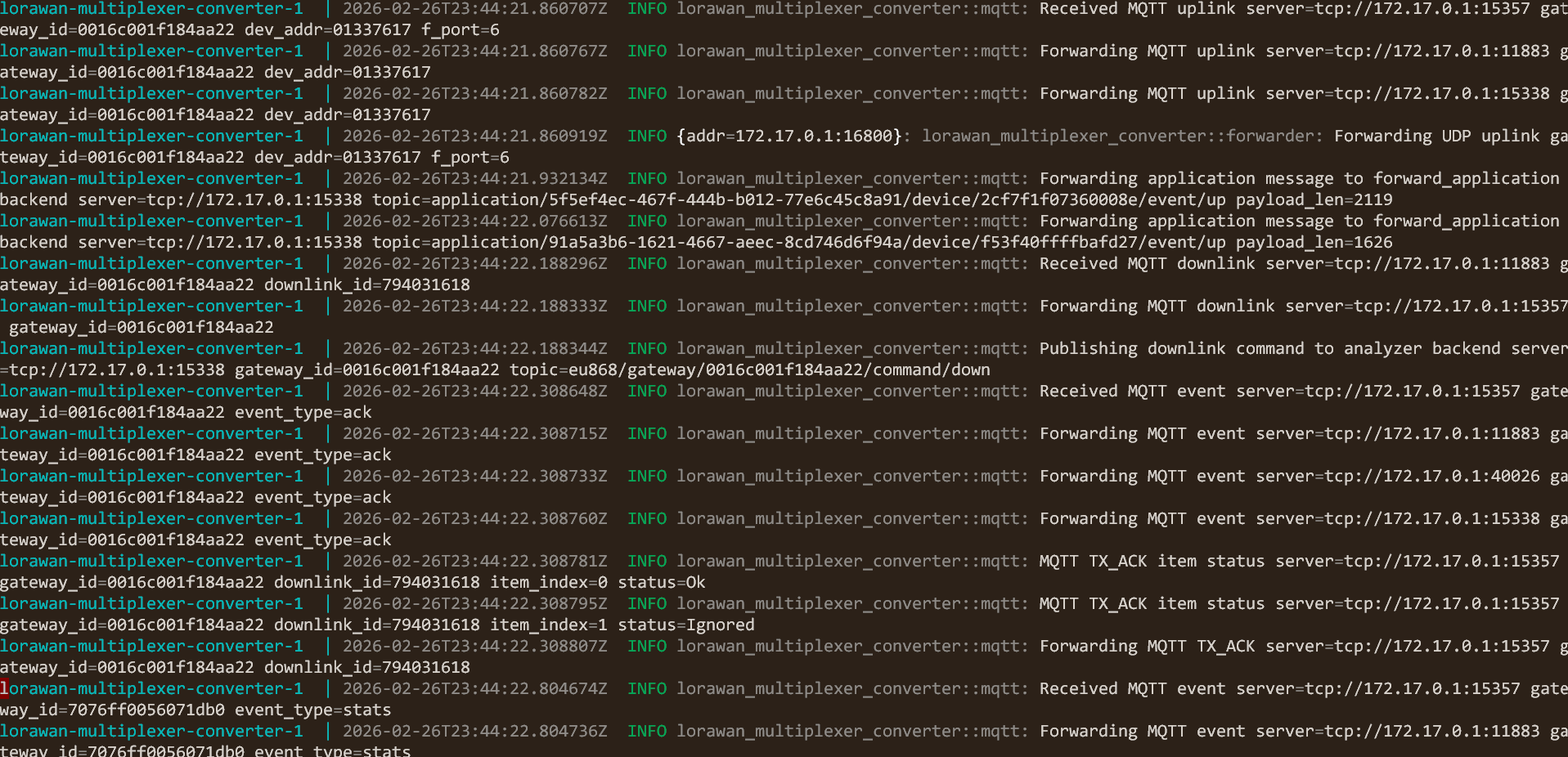
If you have a mix, which is the common case, you do not have to standardise. A protocol converter sitting between the gateways and the network servers lets each side speak what it already speaks. That is exactly what the open source LoRaWAN multiplexer and protocol converter does: accept any of the three on the input side, emit any of the three on the output side, and route a single gateway's traffic to several network servers at once. An old UDP gateway can feed a Basics Station server without being touched, and a Basics Station gateway can publish into an MQTT broker.
Where This Goes Wrong in Practice
A few failure modes come up repeatedly, and all of them are backhaul problems that present as radio problems.
Gateway online, no uplinks. With UDP, check that outbound port 1700 is not blocked. The gateway will happily report itself as running while every packet is discarded by a firewall, because nothing in the protocol tells it otherwise.
Downlinks never arrive. With UDP this is usually the NAT hole closing: PULL_DATA keepalives are too infrequent for the NAT timeout on the path, so PULL_RESP has nowhere to go. With Basics Station it is more often a clock or scheduling issue.
Basics Station gateway will not connect. Almost always certificates: an expired cert, a missing CA chain, or a system clock so far off that TLS validation fails. A gateway with no RTC that boots before NTP syncs will fail its handshake and then need a retry.
Silent packet loss on cellular. UDP over a marginal LTE link drops frames with no indication anywhere. If uplink counts look low and RSSI looks fine, suspect the backhaul before the radio.
Migration paralysis. Three hundred gateways with the LNS address baked into global_conf.json is the situation that makes people stay on infrastructure they have outgrown. Basics Station with CUPS avoids it going forward; a protocol converter or a management VPN solves it for hardware already in the field.
What I Provide
I work with all three protocols across mixed fleets: configuring Semtech UDP packet forwarders and the VPN tunnels that make them safe to run, deploying Basics Station with CUPS and the certificate infrastructure behind it, and wiring gateways into ChirpStack over MQTT with proper broker security and topic ACLs. Where a fleet spans several generations of hardware, I deploy protocol conversion so the gateways keep speaking what they already speak while the network servers get what they need.
That extends to the operational side: making backhaul failures visible instead of silent, planning LNS migrations that do not require touching every gateway, and building the monitoring that tells you a link is degrading before the data stops arriving. Configurations, certificates, and documentation stay yours, self-hosted, with no vendor lock-in.
Working on a LoRaWAN project?
If this article touches on something you're building, tell me about it. The first conversation is free, and you'll get an honest read on the right approach for your situation.
Book a Free ConsultationCurious what the finished thing looks like? Open the live demo dashboard