LoRaWAN Range Testing and Coverage Planning
Why Range Testing Determines Deployment Success
Too few gateways and devices can't connect reliably—packet loss climbs, battery life suffers, you're troubleshooting connectivity instead of collecting data. Too many gateways and you've wasted budget on redundant infrastructure.
Range testing reveals actual coverage before you commit. You find the dead zones, map the boundaries, and place gateways based on measured performance rather than manufacturer claims.
Factors That Determine Actual Range
Deployment Environment: Urban environments typically deliver 2-5km range as buildings block and reflect signals. Suburban areas with less obstruction achieve 5-10km. Rural deployments with clear line-of-sight can reach 10-20km. Indoor coverage drops dramatically to 100-500m because concrete and metal structures attenuate signals heavily.
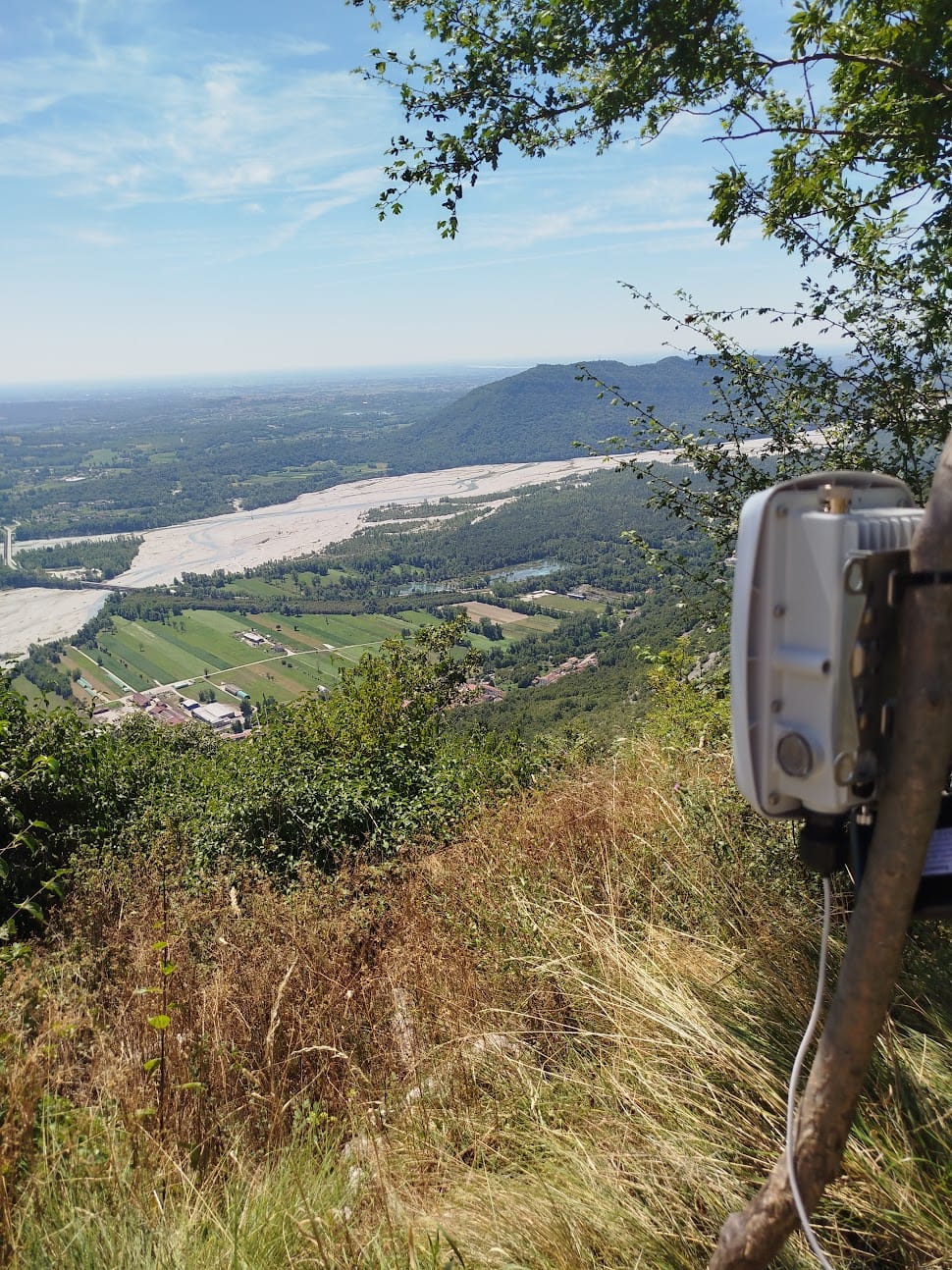
Gateway Antenna Elevation: Every meter of gateway elevation extends coverage. A gateway mounted on a ground floor versus a rooftop makes a 2-3x difference in coverage radius—not because the radio improves, but because you've cleared the Fresnel zone. The first 60% of your line-of-sight path needs to remain clear of obstacles. Elevation provides this clearance over buildings, trees, and terrain that would otherwise block or attenuate signals.
Transmit Power: Most LoRaWAN devices operate at 14dBm (25mW) transmit power. Some devices support 20dBm (100mW), which extends range but drains batteries faster. Most deployments stick with 14dBm because the battery life trade-off rarely justifies the marginal range improvement.
Spreading Factor Selection: SF7 transmits fast (5-10 kbps data rate), achieves shorter range, and consumes less battery power. SF12 transmits slow (250 bps data rate), achieves longer range, and consumes significantly more battery. ADR (Adaptive Data Rate) automatically selects the optimal spreading factor based on signal quality—devices close to gateways use SF7, devices at network edges use SF12.
Antenna Gain: Gateway antennas typically start with 3dBi omnidirectional coverage. Upgrading to 6-8dBi omnidirectional antennas improves range by 30-50%. Directional antennas in the 12-15dBi range work for specific coverage sectors rather than omnidirectional coverage.
Device antennas usually use PCB antennas (0-2dBi gain). Upgrading to external whip antennas (3-5dBi gain) adds approximately 500m-1km to effective range—worthwhile for devices at the edge of coverage.
Practical Range Testing Methodology
Equipment Requirements: You need a test device configured to transmit every 30-60 seconds, a GPS tracker or smartphone for location logging, a network server showing packet reception in real-time, and either a vehicle or planned walking route covering the deployment area.
Testing Procedure: Install the gateway at your proposed location. Drive or walk outward from the gateway in multiple directions, covering all areas where devices will actually be deployed. Log GPS coordinates where packets stop being received reliably. Mark these boundaries on a map to visualize coverage extent. Identify dead zones (no coverage) and weak coverage areas (high packet loss or poor signal quality).
This process reveals actual coverage rather than theoretical calculations. A 10-minute desktop RF propagation analysis might predict 5km coverage, but your range test shows 2.5km in one direction due to a hill you didn't account for, and 7km in another direction where terrain provides better propagation. This information determines whether you need one gateway or three.
Critical Metrics:
RSSI (Received Signal Strength Indicator): Measures signal power in dBm. -120 dBm represents the practical limit for LoRaWAN communication. -100 dBm indicates good signal quality. The difference between -100 dBm and -120 dBm determines whether your device uses SF7 (fast, efficient) or SF12 (slow, battery-intensive).
SNR (Signal to Noise Ratio): Measures signal quality relative to background noise. LoRaWAN works even with negative SNR when using SF12—one of its key advantages over other wireless protocols. Positive SNR is preferable because it enables lower spreading factors and better battery life.
Packet Loss Rate: Less than 5% packet loss indicates acceptable coverage. Over 20% packet loss means coverage problems that will cause operational issues—devices will drain batteries rapidly retrying transmissions, and you'll miss data.
Interpreting Coverage Test Results
Strong Signal (RSSI > -100 dBm, SNR > 5 dB): Excellent coverage zone. Devices will operate on SF7, which means low airtime consumption, minimal battery drain, and fast data transmission. This is your ideal coverage area—devices here will achieve maximum battery life and can transmit frequently without network congestion concerns.
Moderate Signal (RSSI -100 to -120 dBm, SNR 0 to 5 dB): Acceptable coverage zone. Devices will use SF9-SF11 depending on exact signal quality. Battery life is reduced compared to SF7 operation, but communication remains reliable. This coverage level works for most applications—you're trading some battery efficiency for extended coverage range.
Weak Signal (RSSI < -120 dBm, SNR < 0 dB): Edge of coverage zone. Devices get stuck on SF12, which means slow transmission (250 bps), high battery drain, and likely packet loss. This represents the practical coverage boundary. Devices deployed here will experience operational problems—shortened battery life, missed transmissions, and unreliable connectivity. You need either an additional gateway or gateway relocation to improve coverage in these zones.
Coverage Planning Best Practices
Prioritize Gateway Elevation: A gateway mounted at 10 meters on standard ground-level equipment beats a gateway at 3 meters with a high-gain antenna. Elevation provides Fresnel zone clearance that antenna gain cannot compensate for. Get height first, then optimize antenna selection.
Plan for Coverage Overlap: Multiple gateways receiving packets from the same device provides redundancy and improves reliability. Aim for 20-30% overlap between gateway coverage areas. This redundancy prevents single points of failure and improves packet reception rates in overlap zones.
Test at Actual Device Height: Don't conduct range tests holding your device at head height (1.8m) if your actual deployment uses ground-level soil sensors (0.3m). The height difference affects propagation characteristics and will give you optimistic coverage predictions. Test at the height where devices will actually operate.
Account for Time-of-Day Variations: Atmospheric conditions change throughout the day. Test during typical operating hours when your devices will actually transmit. Temperature inversions at night can extend range unexpectedly—if you test at midnight and deploy daytime sensors, your coverage predictions will be wrong.
Factor in Building Material Attenuation: Different materials attenuate RF signals differently. Concrete and brick cause 10-15 dB attenuation per wall. Metal structures cause 20-30 dB attenuation—nearly killing signals. Wood causes 5-8 dB attenuation. Glass causes only 2-3 dB attenuation. Plan indoor coverage accordingly—one gateway might cover an entire office building with glass partitions but struggle to penetrate two concrete walls.
Common Coverage Testing Mistakes
Relying on Theoretical Range Claims: Marketing materials claim "15km range" based on line-of-sight conditions with no obstacles and perfect atmospheric conditions. Real-world deployments are messier—buildings, trees, terrain, and interference all reduce practical range. A gateway might achieve 15km in one direction across flat farmland and 2km in another direction toward a city center. Test actual conditions rather than trusting theoretical maximums.
Testing Only with SF7: Devices at the network edge will use SF12 to maintain connectivity. If you only test with SF7, you completely miss weak coverage areas where devices will struggle. Your range test shows excellent coverage everywhere you tested, but deployed devices at those locations can't connect because they need SF12 and you never validated SF12 performance. Always test with the spreading factor your devices will actually use.
Single-Pass Testing: One drive-by test doesn't reveal the full picture. Radio propagation varies with weather conditions, foliage density (summer versus winter makes a significant difference), and time of day. A single test might show good coverage that disappears when trees leaf out in spring or when atmospheric conditions change. Multiple tests under different conditions provide reliable coverage predictions.
Ignoring Gateway Capacity Limits: One gateway can theoretically handle thousands of devices. In practice, congestion issues appear around 500-1000 actively transmitting devices per gateway. If you're planning a dense deployment, you need additional gateways for capacity even if coverage range seems adequate. A single gateway covering a university campus might have excellent signal strength everywhere but can't handle 2000 devices all transmitting hourly.
Coverage Planning Tools
RF Propagation Software: Tools like Radio Mobile and CloudRF predict coverage based on terrain data and gateway parameters. These desktop planning tools are useful for initial gateway placement before physical installation. They won't match real-world performance exactly, but they help you avoid obviously poor gateway locations and identify promising sites for testing.
TTN Mapper: The Things Network's crowdsourced coverage mapping tool shows real-world range data contributed by the community. If you're deploying in an area with existing TTN coverage, TTN Mapper shows actual measured performance from similar deployments. This provides realistic range expectations for your area rather than theoretical calculations.
Field Strength Measurement Equipment: Professional field strength meters cost 1000+ EUR but provide highly accurate measurements. For most LoRaWAN deployments, inexpensive LoRa test devices (50 EUR) work fine for relative measurements—you're comparing signal strength at different locations rather than requiring laboratory-grade absolute accuracy.
Need Help With Your LoRaWAN Deployment?
Whether you're planning coverage for a new network, optimizing gateway placement, or troubleshooting connectivity issues, I provide technical consulting, custom development, and team training for LoRaWAN deployments. From coverage analysis to full-stack systems with custom firmware and data visualization—you own everything with complete source code and documentation.
Start a project to plan your deployment.
Ready to Get Started?
Get expert guidance on implementing LoRaWAN solutions for your organization.
Let's Talk